A Practical Guide to Building AI Bots for TikTok
building ai botstiktok affiliate botai chatbot developmentpython for tiktoktiktok api
Building an AI bot from scratch is a mix of art and science. It's about more than just code; you're defining its purpose, picking the right tech stack (like Python with a framework like Rasa), and feeding it the right data. The real magic happens when you connect it to platforms through APIs, turning it into a tool that can truly engage users and automate real work.
Why Build an AI Bot for Your TikTok Shop?
So, what’s all the fuss about an "affiliate AI bot," and why should a TikTok Shop creator even care? Let's cut through the tech-speak. Think of it as your personal assistant, one that’s built to handle all the tedious, repetitive tasks that eat up your time. This frees you up to do what you do best: create killer content.
For a TikTok creator, this bot becomes a powerhouse that can:
- Instantly answer follower questions about a product you just featured.
- Offer smart, personalized recommendations based on what a user is commenting about.
- Generate unique affiliate links on the spot, making sure you get credit for every single sale you drive.
This isn't just a time-saver; it’s a serious strategy for boosting your income. When someone comments, "OMG, where is that jacket from?!" every minute you take to respond is a potential lost sale. An AI bot swoops in and closes that gap instantly, turning a moment of interest into a purchase while the excitement is still high.
The Strategic Advantage of Automation
The push for automation is happening everywhere, and for good reason. The global AI chatbot market is already valued at around $9.56 billion and is on track to explode to $27.29 billion by 2030. This isn't just a tech trend; it's a fundamental shift in how businesses create smarter, faster customer experiences. You can find more details about this explosive growth and what's driving the chatbot market online.
For creators on TikTok, this is a golden opportunity. Trying to manually reply to every single product question just doesn't work once your audience starts to grow. It’s impossible to keep up.
Think of your AI bot as a 24/7 sales associate. It never takes a break, never misses a comment, and is always ready to help a follower go from "I like that" to "I bought that." It effectively turns your comment section from a simple chat area into a high-powered, automated sales funnel.
Before you dive in, it’s good to get familiar with the TikTok Shop platform itself. Your bot will be living and breathing in this ecosystem.

Knowing your way around this interface is crucial because your bot will need to pull product details and create affiliate links by talking to its backend systems. When you build an AI bot designed specifically for this world, you're essentially creating a direct, automated pipeline between your content and your bank account.
Breaking Down the Bot: What You'll Need
To get a clearer picture of what we're actually building, let's look at the core components. Each piece has a specific job, and they all have to work together seamlessly.
Essential Components for Your TikTok AI Bot
| Component | Purpose | Example Tool or Technology |
|---|---|---|
| Natural Language Processing (NLP) | Understands what a user is asking in their comment, even with slang or typos. | Google's Dialogflow, Rasa, OpenAI API |
| TikTok API Integration | The bridge that lets your bot read comments and post replies on your account. | TikTok for Business API |
| Product Catalog Management | A database or system that holds all your affiliate product information (links, prices, descriptions). | Airtable, Google Sheets, Custom Database |
| Affiliate Link Generator | Creates unique, trackable affiliate links for each product request. | Your shop's affiliate program tools |
| Cloud Hosting Platform | The "home" for your bot, keeping it running 24/7. | Heroku, AWS Lambda, Google Cloud Functions |
Putting these pieces together is the core of the project. You're not just coding; you're building an intelligent system that understands context, manages data, and takes action—all within seconds.
Choosing the Right Tech Stack for Your Bot
Picking your tech stack is one of those foundational decisions that can either set you up for success or lead to major headaches down the road. You want a set of tools that fits your coding comfort level, your budget, and, most importantly, the unique, fast-paced world of TikTok.
When it comes to the language for AI, Python is pretty much the king of the hill. It's not just that the syntax is clean and readable; the real magic is in its incredible ecosystem. You get access to powerful libraries like TensorFlow and PyTorch that do all the heavy lifting for machine learning tasks.
I lean on Python for almost all my AI projects. It’s not just about the libraries; it's about the community. If you get stuck, chances are someone has already solved a similar problem and shared their solution online.
Frameworks: Managed vs. Self-Hosted
After settling on a language, your next big choice is the framework that will give your bot its structure. This is a classic fork in the road: do you go with a fully managed service or a more hands-on, open-source framework?
Services like Google Dialogflow or the Microsoft Bot Framework are fantastic for getting off the ground quickly. They take care of the backend infrastructure, so you can jump right into designing conversations. This is a solid route if you just want to spin up a quick prototype.
But for a TikTok bot that needs to be deeply integrated and highly customized, an open-source framework like Rasa often gives you the control you need.
You can get a feel for the Rasa platform below. They’re all about building conversational AI assistants that you own and can fine-tune to your exact needs.
This focus on enterprise-grade, customizable solutions is perfect when you need to hook into specific APIs, like the ones for TikTok Shop. While giants like ChatGPT dominate the general AI chatbot market with an 81.37% market share, specialized tools like Rasa are indispensable for developers who need total control over their data and how their bot is deployed. You can dig into more stats about the competitive landscape of AI chatbots.
To help you decide, let's break down some of the most popular options.
Comparing Popular AI Bot Frameworks
Choosing the right framework really depends on what you're trying to build and how much control you need. A quick prototype has very different needs than a full-scale, custom-integrated bot. This table should give you a good starting point for your research.
| Framework | Best For | Key Advantage | Learning Curve |
|---|---|---|---|
| Rasa | Custom, data-sensitive applications requiring deep integration. | Full control over data, deployment, and customization. | Moderate to High |
| Google Dialogflow | Quick prototyping and integration with Google Cloud services. | Easy to start, powerful NLU, and great for simple bots. | Low |
| Microsoft Bot Framework | Enterprise bots and integration within the Microsoft ecosystem. | Strong tooling, multi-channel support, and enterprise features. | Moderate |
| Botpress | Developers who want a visual, open-source building experience. | Visual flow editor combined with open-source flexibility. | Low to Moderate |
Ultimately, the best choice is the one that aligns with your project's goals. For a TikTok Shop bot with specific affiliate functions, the control offered by a framework like Rasa or Botpress often outweighs the initial simplicity of a managed service.
Thinking About Data Storage and Scalability
Finally, you need a plan for where your bot will keep its information. It's tempting to start simple—and for a quick proof-of-concept, you can definitely get by with a basic JSON or CSV file for your product data. It’s fast and doesn't require any database setup.
But that approach will hit a wall sooner than you think.
Once you start dealing with a real affiliate catalog, you need a proper database. Something like PostgreSQL or a NoSQL option like MongoDB becomes non-negotiable for handling critical tasks:
- Product Catalogs: You'll need to store potentially thousands of products with their prices, stock levels, and unique affiliate links.
- User Conversations: Logging interactions is the only way to figure out what's working and what isn't, so you can improve your bot over time.
- Session State: Your bot has to remember who it's talking to and the context of the conversation.
Picking a scalable database right from the start saves you from a massive architectural headache later on. Think of it as laying the right foundation for an AI asset that can grow with your TikTok Shop.
Mapping Out Your Bot's Conversation Flow
Before you even think about touching a line of code, you need to map out your bot's conversation flow. This is, without a doubt, the most crucial part of building an AI bot that actually feels helpful. We're not creating a stiff, robotic script here. The goal is to design a flexible blueprint that can handle the messy, unpredictable way real people talk and ask questions.
A solid conversation flow is what separates a genuinely useful assistant from a frustrating dead-end that just makes people angry.
The whole process starts with figuring out user intents. An intent is just a fancy word for what the user is trying to accomplish. When someone comments, "Does this come in blue?" their intent isn't just about color—it's a "product availability inquiry." Your first job is to brainstorm every possible reason someone might comment on your TikTok videos.
Think about it from their perspective:
- Purchase Intent: "Where can I buy this?" or the classic "Link please!"
- Product Inquiry: "Is it waterproof?" or "How much is it?"
- Social Proof: "Has anyone else bought this?" or "Show me some reviews."
- General Greeting: A simple "Hey" or "Hi!"
Once you have your list of intents, the next piece of the puzzle is entity recognition. This is how your bot pinpoints the important details in a user's comment. If someone asks, "How much is the red running jacket?" the bot needs to be smart enough to identify "red" as the color and "running jacket" as the product. Without that context, it can't give a useful answer.
Designing the Dialogue Paths
Okay, with your intents and entities defined, you can start building the actual conversation paths. I like to think of it as creating a "choose your own adventure" story. Every comment from a user sends the bot down a specific branch.
For instance, if the bot flags a "purchase intent," its first and only job should be to fire back with the correct affiliate link for that specific product. Easy enough.
But what if it spots a "product inquiry"? Now it needs to be able to look up the answer in your product database. And what happens when a user throws a curveball the bot can't handle? This is where having a good fallback plan is non-negotiable.
Your bot has to know how to fail gracefully. A simple, "I'm not sure about that, but you can check out all the product details here [link]" is a million times better than radio silence or, even worse, a repetitive "I don't understand." A smart fallback keeps the conversation going and can still nudge the user toward a sale.
This decision tree gives you a good idea of how your own technical skill should guide the tools you choose for the job.
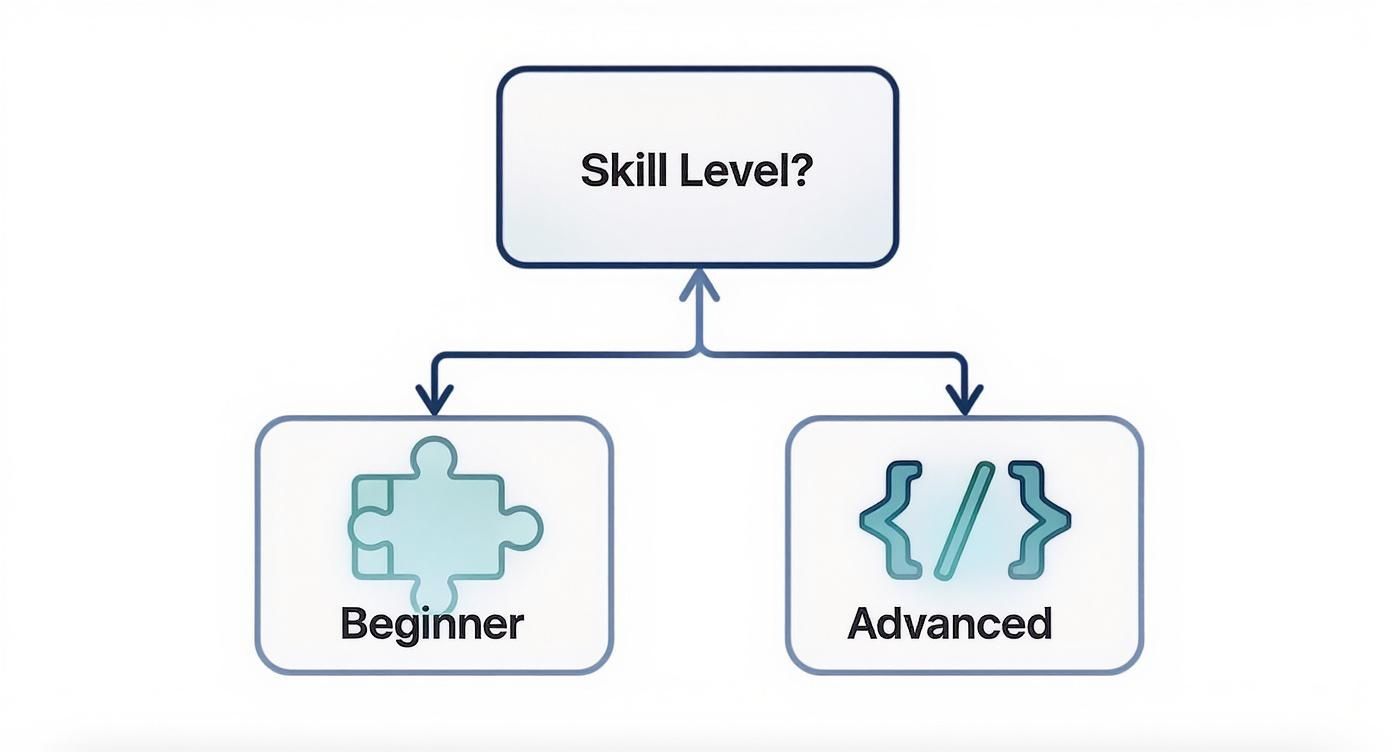
As you can see, the path forks between beginner-friendly tools that require no code and more complex frameworks for developers. This helps you pick the right tech for your comfort level right from the start.
Visualizing the Conversation
To really get a feel for this, you need to get it out of your head and onto a screen or a wall. I personally use Miro for this, but honestly, a whiteboard and a marker work just as well. Sketch out every single step, from the user's first comment to the bot's final reply.
Here's how a simple path might look for a super common scenario:
- User Comment: "I love that green sweater! Is it in stock?"
- Bot Analysis:
- Intent: Product Availability
- Entities: Color (green), Product (sweater)
- Bot Action: The bot pings your TikTok Shop data to check on the "green sweater."
- Bot Response (If in stock): "Yes, the green sweater is in stock! You can grab it here: [Affiliate Link]."
- Bot Response (If out of stock): "Looks like the green one is sold out, but we have it in blue and black! Check them out: [Affiliate Link]."
When you map these flows visually, you'll immediately spot the gaps, dead ends, and awkward moments before you waste a single minute on development. This prep work is what ensures your bot feels less like a machine and more like a helpful guide steering people from curiosity to checkout.
Connecting Your Bot with TikTok and Affiliate APIs
This is the moment your bot goes from a blueprint to a live, functioning tool. We're about to plug all that carefully crafted logic into the real world by connecting it to the TikTok platform and your chosen affiliate program APIs. Think of this as building the central nervous system for your operation, allowing the bot to listen, understand, and, most importantly, act.
The first and most critical connection is with the TikTok API. Your initial goal is simple: get your bot to read comments and messages as they happen. These incoming messages are the triggers for everything else. They're what kickstarts the entire workflow, from figuring out what a user wants to crafting the perfect response.
Mastering API Authentication
Before your bot can pull any data or post any links, it needs permission. Both TikTok and your affiliate programs will require you to authenticate your requests, which is basically just proving your bot is who it says it is. This is usually handled with API keys or an OAuth 2.0 flow.
- API Keys: Think of these as a simple password—a secret token you include with your requests to identify your bot.
- OAuth 2.0: This is a more robust, multi-step handshake. Your application gets temporary access tokens, which is standard practice for APIs that deal with user data.
It goes without saying, but treat these credentials like gold. Never, ever expose them in your client-side code or check them into a public GitHub repository. The standard practice is to store them securely as environment variables on your server.
This screenshot from the official TikTok for Developers portal is your starting point. This is where you'll register your app to get the credentials you need.
This dashboard is your gateway. Getting comfortable here is a crucial step in building AI bots that are truly integrated into the TikTok ecosystem.
Pulling Live Data and Generating Links
Once you're authenticated, the real work begins. Your bot needs to make API calls to fetch live product information. You'll be hitting the TikTok Shop API to pull details like the current price, the official description, and—most critically—stock levels. The last thing you want is your bot enthusiastically recommending a product that’s sold out.
But the core money-making function is generating affiliate links on the fly. When a user expresses interest in a product, your bot has to execute a rapid-fire sequence:
- First, it identifies the exact product the user is asking about.
- Next, it shoots an API call over to your affiliate program's endpoint.
- It passes the product ID along with that request.
- The affiliate API responds with a unique, trackable affiliate link.
- Finally, the bot drops that link directly into its reply to the user.
This entire dance needs to happen in a matter of seconds. Speed and accuracy here are everything—it's how you capture a potential customer's interest at its absolute peak and maximize your chances of earning that commission.
You don't have to be a massive corporation to make this work. In fact, small businesses now represent 40% of all chatbot adopters. This shows just how accessible these powerful automation tools have become for creators and entrepreneurs. You can find more stats on the rise of AI chatbots in small businesses.
What this means is that even solo creators can now build sophisticated systems that, just a few years ago, would have required a whole team of developers. By getting these API calls right, you're building a seamless and profitable bridge between your content and your affiliate partners.
How to Train and Optimize Your AI Bot
An AI bot without training is just an empty shell. It's the training process that turns that code into an intelligent assistant that actually understands the unique way your TikTok community talks. Honestly, the success of your bot lives and dies by the quality of the data you feed it.
This whole process kicks off with building a solid training dataset. Think of this as your bot's education. Your job is to feed its Natural Language Processing (NLP) model hundreds, or even thousands, of real-world examples of how your followers ask for links and product info.
You have to get creative here and think beyond the obvious questions. Your dataset needs to be rich and varied:
- Diverse Phrasing: "Link please," "Where can I get this," "Need that sweater," and "drop the link" all mean the same thing to a human, but a machine sees four totally different requests. You need to include them all.
- Common Typos: Let's be real, people misspell things. Make sure to include common typos for your product names, like "jacet" instead of "jacket."
- Audience Slang: Every community has its own shorthand. Capture the specific slang and phrases your followers use when they're excited about a product.
Beefing Up Your Dataset with Augmentation
You'll never manually think of every single way someone could ask a question. That's where a technique called data augmentation saves the day. It's a fancy term for a simple idea: using scripts to automatically create new training examples from the ones you already have. You can programmatically swap synonyms, reorder words, or even add common typos.
This is what makes your bot tough and resilient in the wild. A follower firing off a comment from their phone isn't going to use perfect grammar. Augmentation trains your bot on the messy, realistic language it will actually encounter, which makes a huge difference in its performance.
Here’s the bottom line on training: your bot will only ever be as smart as the data you give it. A smaller, high-quality, diverse dataset is infinitely more valuable than a huge list of repetitive, perfect sentences. This is your home-field advantage—you know your audience's voice better than anyone.
Never Stop Improving: The Feedback Loop
Training isn't a "one and done" task. The best bots are the ones that are constantly learning. You need to build a continuous improvement loop—a cycle of testing, analyzing, and retraining that keeps your bot getting smarter.
Dive into the conversations your bot is having with real users. Look for the moments where it gets confused or gives the wrong answer. These aren't failures; they're gold. Each mistake is a data point showing you exactly where your training is weak.
Every time you find a gap, you can take action:
- Add New Examples: Grab that misunderstood phrase from the user and add it directly to your training dataset, tagging it with the correct intent.
- Refine Your Intents: You might realize a broad intent like "Product Question" is causing confusion. It might be time to break it down into more specific intents like "Price Inquiry" and "Sizing Question."
- Retrain the Model: Once you've updated your dataset, kick off the retraining process so the model learns from all the new examples.
This ongoing, iterative process is the secret sauce. It’s how you build an AI bot that doesn't just work on launch day but evolves and improves over time, becoming an indispensable part of your TikTok Shop strategy.
Got Questions About Building AI Bots? We've Got Answers
Jumping into building an AI bot is exciting, but let's be real—it can feel a little overwhelming at first. It's completely normal for questions to bubble up, especially when you're trying to wire up something as specific as the TikTok API to your own custom logic.
Let's walk through some of the things people usually ask, so you can move forward with confidence.
One of the first things I hear is, "How technical do I need to be for this?" The honest answer? It really depends on what you're trying to build. If you're just dipping your toes in, no-code platforms are fantastic. They let you focus on mapping out the conversation without touching a single line of code.
But for a truly custom affiliate bot that pulls live data from the TikTok Shop API, you'll want a good handle on Python. You'll also need to get comfortable with how APIs work and how to manage data that comes in JSON format. My advice is always the same: start simple. Get a basic version working, celebrate that win, and then gradually layer in more complexity as your skills improve.
What Are the Biggest Hurdles You'll Face?
When you start building, you’re going to hit a few roadblocks. It’s part of the process. Knowing what they are ahead of time can save you a ton of headaches down the line.
The single biggest challenge, time and again, is getting enough good training data. Your bot has to learn how real people talk—slang, typos, and all. Another common pain point is just wrestling with the API integrations themselves. Things like handling authentication tokens that expire or making sure you don't exceed the number of requests TikTok allows can be tricky.
Here’s a quick rundown of the main obstacles you'll probably encounter:
- Data Quality: Finding enough varied, realistic chat examples to train your natural language processing (NLP) model is tough but crucial.
- API Quirks: You'll have to deal with authentication, rate limits, and the occasional unexpected change to an API endpoint from TikTok or your affiliate network.
- Keeping it Natural: It takes real effort to design conversation flows that feel genuinely helpful, not like you're talking to a clunky, pre-programmed script.
- Real-Time Syncing: Making sure your product information—especially price and stock levels—is always perfectly up-to-date is a constant battle.
Staying on the Right Side of TikTok's Rules
This is a big one: "Will building a bot get my account banned?" You absolutely must read and understand TikTok's Platform Policy and their Developer Terms before you go live. No shortcuts here.
Generally speaking, bots that actually help people and don't act like spam (like firing off unsolicited DMs or flooding comments) are much safer. Be transparent. It’s a smart move to let users know they're chatting with an automated assistant.
Always put the user experience first. A bot that helps someone find the perfect product is a world away from one that just spams affiliate links everywhere. Policies change, so make it a habit to check in on the rules to keep your account safe.
So, how do you even know if all this effort is worth it? Calculating your return on investment (ROI) is actually pretty straightforward.
First, track the total affiliate commission you earn only from the unique links your bot shares. Then, stack that revenue up against your development and maintenance costs. This includes things like server hosting, any API subscription fees, and even the value of your own time. This simple math will tell you exactly how well your bot is performing.
Ready to stop guessing and start scaling your TikTok Shop with powerful automation? HiveHQ provides an all-in-one suite with an Affiliate Bot, Profit Dashboard, and Creator Tracker to put your growth on autopilot. Find out how top brands are maximizing their sales at https://hivehq.ai.