Tiktok Shop Sellers Center
tiktok shop sellers centertiktok shop guideseller center analyticshivehq profit dashboardtiktok shop fulfillment
Most advice about TikTok Shop Seller Center stops at getting listed and chasing GMV. That's the wrong starting point, because Seller Center tells you what sold, not what you kept.
If you run TikTok Shop like an operator, Seller Center is your control room for products, orders, logistics, payments, marketing, analytics, and policy updates TikTok's Seller Center overview. In practice, it's where content-to-checkout commerce becomes manageable instead of chaotic, but it still leaves profitability gaps that you have to close yourself.
Table of Contents
- What Is the TikTok Shop Seller Center
- Navigating the Seller Center Dashboard
- Understanding Key Metrics and Performance Analytics
- The Profitability Blind Spot in Native Tools
- Leveraging Affiliate Tools and Creator Tracking
- How HiveHQ Complements Seller Center Workflows
- Comparing Native Analytics with Profit Dashboards
- Frequently Asked Questions
What Is the TikTok Shop Seller Center
A seller can look healthy on paper and still end the month short on cash. I've seen the pattern repeat, strong GMV, busy order flow, then refunds, commissions, and shipping costs trim the result. TikTok Shop Seller Center is the system that runs the store, but it's not the same thing as knowing whether the store made money.
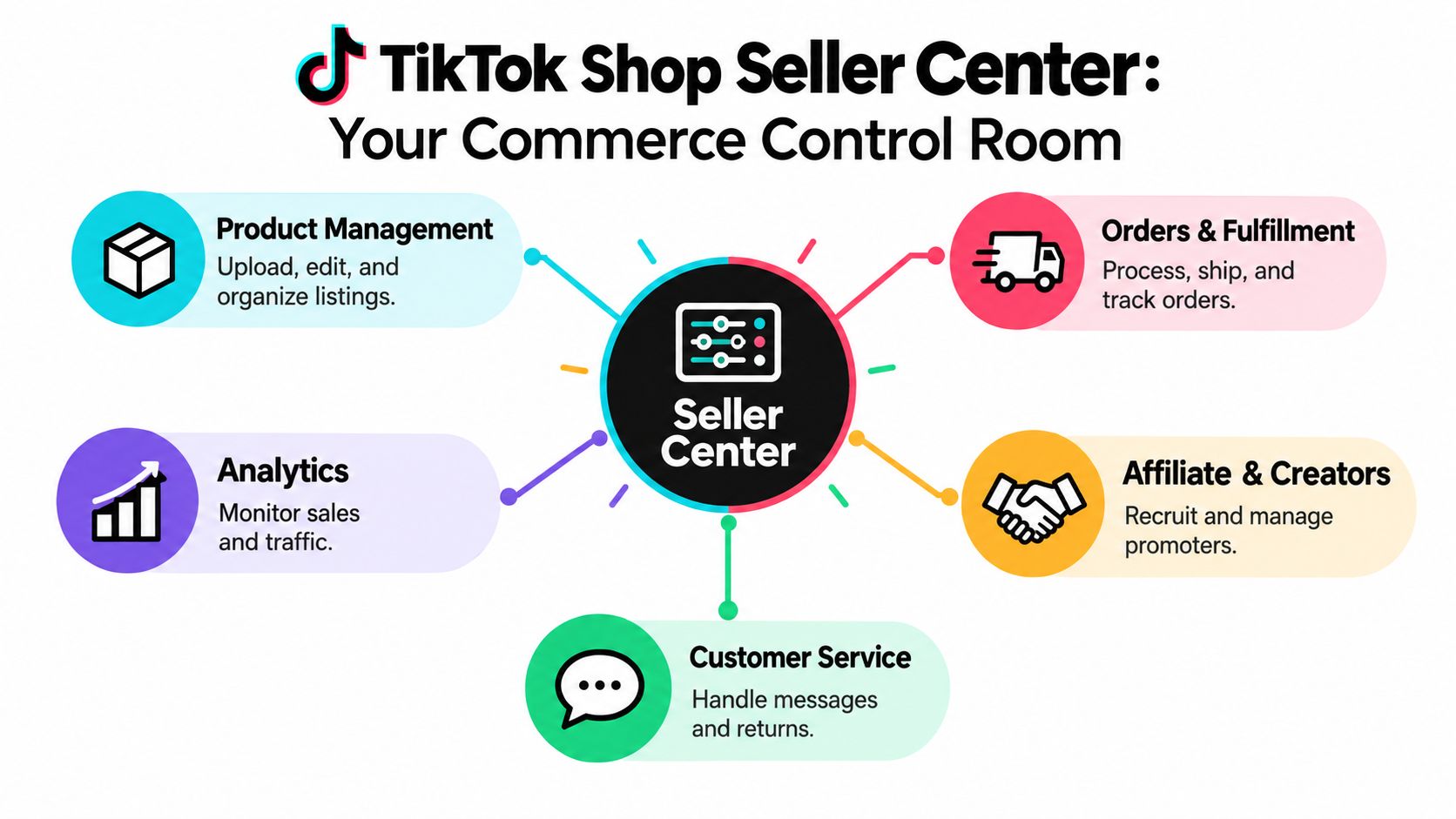
Seller Center is better understood as the operating layer behind the storefront. TikTok describes it as a centralized environment for store operations, customer service, seller education, performance analysis, and policy updates, which means it connects the work that used to live in separate tabs, inboxes, and spreadsheets. For a seller coming from Amazon or a traditional e-commerce stack, that unified workflow matters because TikTok blends discovery, creator promotion, checkout, and administration inside one commerce channel. If you want the broader channel context, the HiveHQ overview of TikTok Shop is useful background.
Why the platform matters operationally
Seller Center is not just a catalog editor. Official seller documentation places product, order, logistics, payment, marketing, and analytics management inside the same environment, which is why it becomes the command center for day-to-day execution. That matters because your commercial data sits right next to the tasks that create that data, listing, dispatch, fulfillment, and customer support. When a team treats those as separate systems, errors multiply.
Practical rule: if a report doesn't connect revenue to the workflow that produced it, it's not enough for decision-making.
TikTok's seller materials also show how the platform supports in-app commerce through videos and livestreams, so the shop isn't an isolated catalog, it's part of a content engine. That's the core difference between Seller Center and a simple admin portal. It's where the business is operated, not just where listings are stored.
Navigating the Seller Center Dashboard
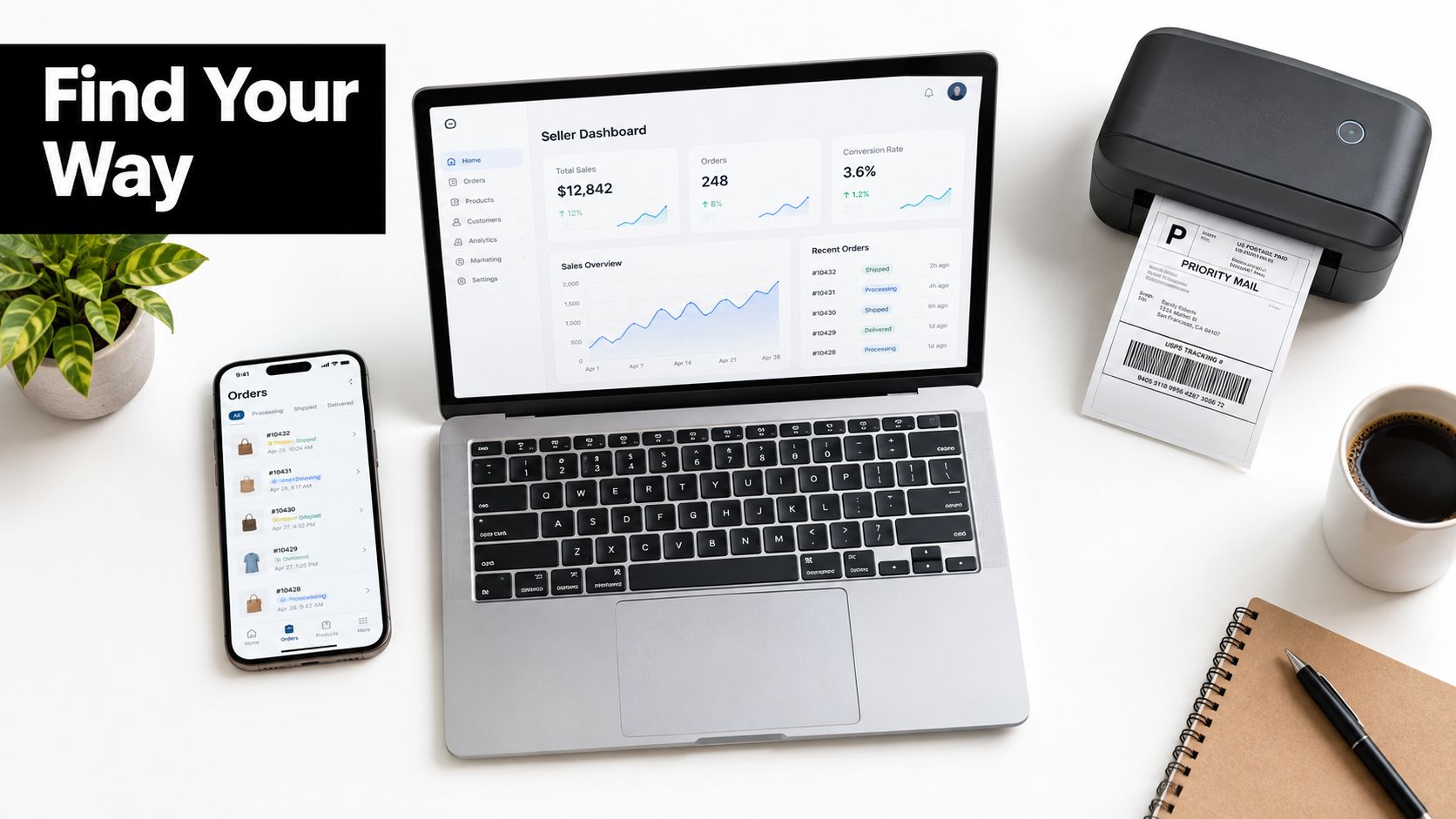
The dashboard feels crowded the first time you open it because it mixes business setup, catalog work, shipping, and performance in one interface. The fastest way to learn it is to follow the business objects, not the menus. Start with account settings, then move to catalog, then orders, then analytics.
Start with the account layer
Seller account data is where operational mistakes begin, so this area deserves attention before anyone touches the catalog. TikTok's documentation shows that sellers can manage business information, tax details, bank or settlement accounts, warehouses, pickup addresses, brands, user permissions, linked official and marketing accounts, and two-step verification TikTok seller account documentation. That scope tells you a lot about how seriously the platform treats operational control.
For a team, permissions matter as much as product setup. If multiple people can edit the same shop without roles and process discipline, you end up with broken listings, missed approvals, and slower issue resolution. Use the permissions structure to keep finance, fulfillment, and catalog updates separate.
Move into listings and order flow
Product management is where you build the storefront. Use it to upload items, adjust variants, manage inventory, and keep product data clean enough that your fulfillment team can ship what was sold. Order management comes next, where the practical work is processing orders, handling cancellations, and tracking fulfillment status.
Later, revisit marketing and analytics once the basics are stable. The point isn't to click every module. The point is to know where each operational job lives so the shop stops depending on memory and screenshots.
When a seller says they “can't find the metric,” the real issue is usually that nobody built a repeatable operating map.
For deeper interface organization ideas, the HiveHQ dashboard customization guide is a helpful reference point, especially if your team needs a cleaner view of the data that matters most.
Understanding Key Metrics and Performance Analytics
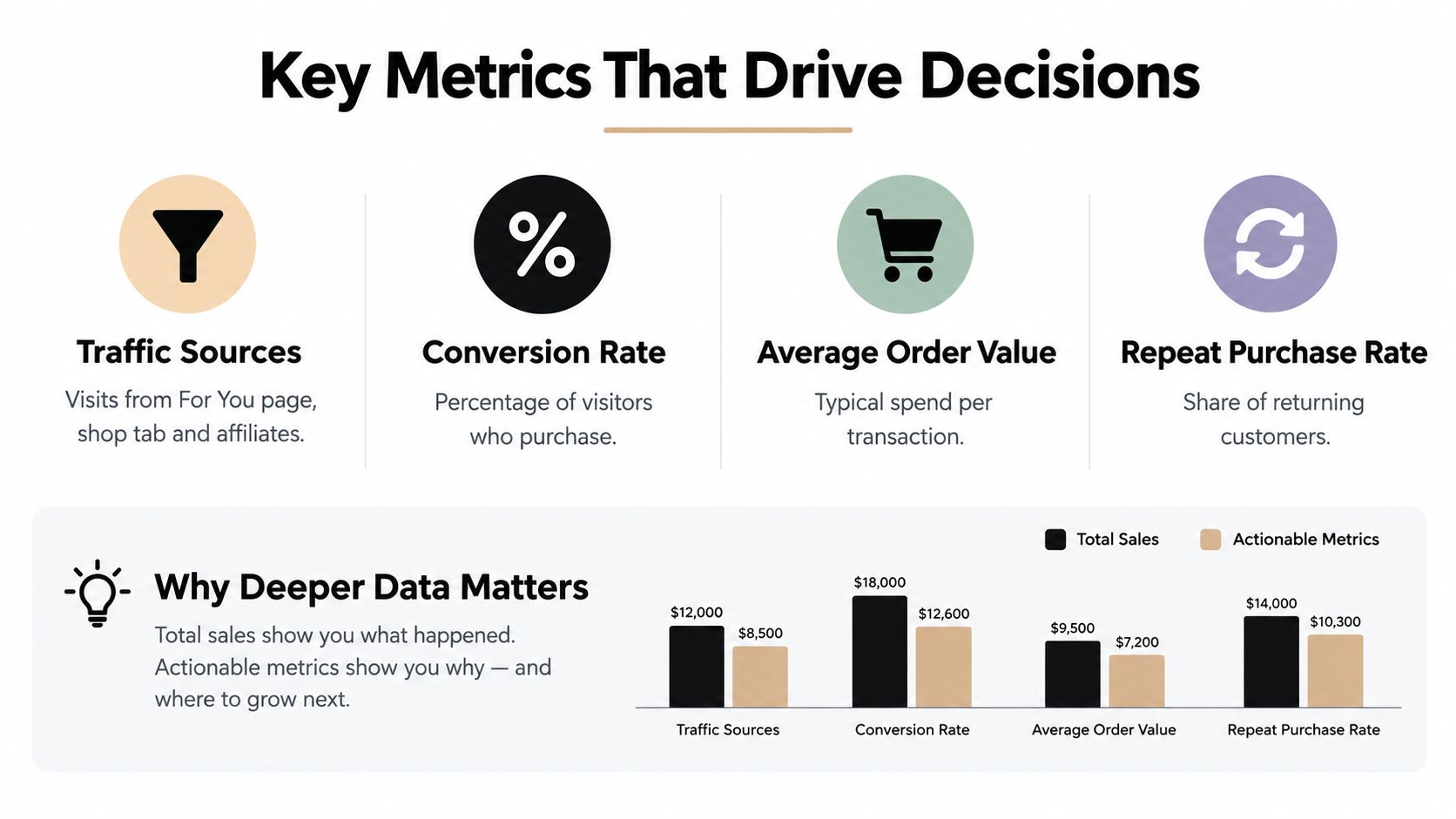
Most sellers open analytics, look at total sales, and stop there. That habit hides the story behind the numbers. Seller Center gives you enough data to answer better questions, but only if you read the reports by source, by fulfillment outcome, and by product.
Read sales by source, not just by total
TikTok's Sales Performance analytics separates gross revenue into ads and non-ads sources, with attribution across organic, paid, affiliate, and non-affiliate content Sales Performance documentation. That breakdown matters because a rise in sales can come from better content, stronger paid media, heavier creator activity, or a mix of all three.
If you're trying to understand business health, compare those sources against the costs tied to them. Ad-driven revenue has ad spend behind it. Affiliate-driven revenue has commissions behind it. Organic sales still have fulfillment, refunds, and product costs behind them. A good reference for metric design is this guide to ecommerce KPIs, because the strongest dashboards focus on decision-making metrics, not vanity totals.
Treat fulfillment metrics as diagnostics
Fulfillment data tells you why orders become risky. Seller Center tracks on-time delivery rate, late dispatch rate, valid tracking rate, seller-fault cancellation rate, unshipped-order rate, and out-of-stock cancellation rate Fulfillment performance guidance. Those metrics form a chain, inventory mistakes create cancellations, warehouse delays raise late dispatch, missing scans weaken tracking, and delays hurt on-time delivery.
Use that chain to locate the break point. If one SKU keeps creating exceptions, inspect the warehouse queue, the label handoff, and the inventory reserve before you blame demand. The result is better than a generic shipping score, because it tells you where the operation is leaking.
Operational takeaway: total sales tells you that customers bought. Fulfillment metrics tell you whether the shop can keep the money without creating avoidable account risk.
The Profitability Blind Spot in Native Tools
Seller Center can show you that a product sold well and an affiliate drove traffic. It can't automatically tell you whether that sale was worth keeping. That's the blind spot most operators miss, and it's why top-line reporting often creates a false sense of success.
The deduction stack changes the answer
TikTok's seller terms state that the platform may charge fees for commerce products, payment-related services, logistics, and other optional services, and that sellers decide the commission rate paid to creators or partners Seller terms and fee structure. On top of that, affiliate guidance notes that commission is calculated after refunds, and return-related deductions can vary by market. In plain terms, the sale you see in Seller Center is not the cash you keep.
That matters even more when coupons enter the picture. A campaign can look strong at the GMV layer and still underperform once commissions, refunds, ad spend, and product cost are included. That's why the case against treating GMV as profit is so important for operators who need contribution-margin thinking instead of applause.
Returns make the picture more complicated
US return rules add another layer of timing and cost. For returnable products, customers generally have 30 calendar days from delivery to request a return and refund, TikTok Shop automatically accepts eligible requests, customers then have 30 days to ship the product back, and sellers have four business days to review the request after receiving the item US return policy guidance. TikTok also says seller-fault returns can shift responsibility to the seller.
That's why a profitability model has to include refunds, return shipping, and settlement timing, not just sales. If you don't model those deductions, you end up optimizing for volume that never survives the full order lifecycle.
Leveraging Affiliate Tools and Creator Tracking
Affiliate work looks easy from the outside. A seller ships samples, a creator posts, and sales appear. In practice, the main task is ensuring that creators who accept samples really publish, truly sell, and genuinely stay worth the commissions.

Manage creators like an operating list
Industry estimates suggest that more than 100,000 creators participate in TikTok Shop's affiliate program, while roughly 54,000 generate more than $10,000 in annual affiliate GMV creator participation estimates. That gap points to concentration risk. A large creator pool does not mean a large profit pool.
The better workflow is simple. Track sample shipment date, expected posting window, content delivery, and repeat performance. If a creator accepts product but doesn't post on schedule, that partner belongs in a follow-up queue, not an assumption bucket.
Judge reliability before scale
A few dependable creators usually beat a long tail of inactive ones. That's because each bad partnership consumes time, samples, and staff attention without guaranteeing content. Sellers looking for structured creative execution should also review product video production companies as a reference point for how product storytelling gets systematized when a brand decides to build repeatable content.
For a tighter internal workflow, the creator-level profitability playbook helps frame the question correctly, which creators produce repeat sales, which ones only create noise, and which partnerships deserve a retainer.
Don't buy creator volume. Buy repeatable creator output.
How HiveHQ Complements Seller Center Workflows
Seller Center runs the shop. It does not answer the profit question on its own. A separate profit layer helps because it ties orders, ads, commissions, and refunds back to retained cash, which is where a TikTok Shop operator wins or loses.
What the Profit Dashboard adds
The HiveHQ Profit Dashboard is built for TikTok Shop sellers who want real-time net profit, product-level performance, and customer analytics instead of relying on topline GMV alone. It is a self-serve tool, so operators can run it without turning reporting into a manual finance project. It also accounts for the fact that TikTok commerce data often needs structured data extraction and cleanup before it becomes usable. For a live view of what the profit layer surfaces, see HiveHQ's real-time profit tracking solution.
The main value is visibility. Once COGS, ad spend, commissions, and refund impact sit in one place, the guessing stops. You can see which products look strong in Seller Center and which ones still miss the margin after deductions. HiveHQ is also described as an all-in-one suite for TikTok Shop sellers that combines an Affiliate Bot, Profit Dashboard, and Creator Tracker to support sales and growth, but the profit layer is what closes the reporting gap.
Where it fits in practice
Use Seller Center for operations, listings, and fulfillment control. Use a profit dashboard for margin decisions. That split keeps the native platform doing what it does well, while your financial view becomes clear enough to answer harder questions, like whether a product's growth is worth the cost of acquisition.
The point is not to replace Seller Center. It is to make the numbers there useful for actual decision-making.
Comparing Native Analytics with Profit Dashboards
Native Seller Center analytics and a profit dashboard solve different problems. If you use only one, you get an incomplete picture. The safest workflow is to treat Seller Center as the operating system and a profit dashboard as the financial lens.
| Feature | Native Seller Center | HiveHQ Profit Dashboard |
|---|---|---|
| Shop operations | Strong, built for listings, orders, fulfillment, and account management | Not the core function |
| Revenue tracking | Shows sales and source-level performance | Breaks down revenue into product-level performance and net profit context |
| Refund visibility | Shows order and return events | Connects refunds to profitability impact |
| Commission analysis | Limited for profit decisions | Surfaces commissions in the margin view |
| Ad spend context | Shows sales performance, not full financial outcome | Helps connect spend to retained cash |
| Customer analytics | Broad operational view | Includes customer-level performance for better decision-making |
| Decision use case | Day-to-day execution | Margin protection and product-level profitability |
Seller Center is enough when you need to run the shop. It's not enough when you need to decide whether a campaign, product, or creator earned money after all deductions. That's the gap a profit dashboard fills.
The practical difference is simple. Native analytics tell you what happened. Profit analytics tell you what stayed in the business.
Frequently Asked Questions
What is the TikTok Shop Seller Center used for?
It's the central place for running a TikTok Shop. Sellers use it for products, orders, fulfillment, customer service, analytics, and policy updates.
Which metric should I watch first in Seller Center?
Start with source-level sales and fulfillment health. If sales rise but dispatch, tracking, or cancellations worsen, the growth may not be sustainable.
Why isn't GMV enough to judge performance?
GMV doesn't automatically account for refunds, commissions, shipping, ad spend, or fees. You need a profit view to know what cash you keep.
How should I manage affiliate creators?
Track them like operators, not like a contact list. Watch sample delivery, posting cadence, repeat sales, and whether they continue to generate profitable orders.
Where does a profit dashboard fit into the workflow?
Use Seller Center to run the shop and a profit dashboard to evaluate whether the shop is making money. That separation keeps execution and finance aligned.
If you're serious about TikTok Shop, stop relying on topline reports alone. Try the HiveHQ Profit Dashboard to see real-time net profit, product-level performance, and customer analytics, then talk to the HiveHQ team about how it fits your Seller Center workflow. Visit HiveHQ to get started.